Brand control for connected AI

Your brand.
Locked across any AI.

Give your connected assistants one approved brand to work with.
Create documents, collateral and presentations with your voice, design and assets.

Start with an account. Bring your guide, assets and relevant templates.

Your assistants. Your brand. Your work.

Illustrative example · Keldane

01 / Ask where you work

ChatGPTBrandwarden connector
ClaudeBrandwarden connector
Your workflowsThrough the Brandwarden API
A familiar request

“Turn this into a partner brief for Keldane.”

02 / One approved brand

KeldanePublished brand · v1.0
Design
VoiceClear. Considered. Direct.
AssetsApproved logos & templates
Brand lock Owner approved

Your brand, at the source.Guide · Voice · Assets · Templates

03 / Your branded work

Keldane partner brief with branded typography and a readable document layout Keldane one-pager with the same teal, navy and sand identity Keldane presentation using the same visual identity

Documents & PDFsCollateral · Presentations · One-pagers

Approved rules for work created in your connected assistants.

The place your brand is approved.
The way work in your connected assistants stays connected to it.

Explore the outputs

Made to leave the chat

One brand.
Many ways to show up.

For the work your team shares with clients, partners and each other. The format changes. Your brand stays recognizable.

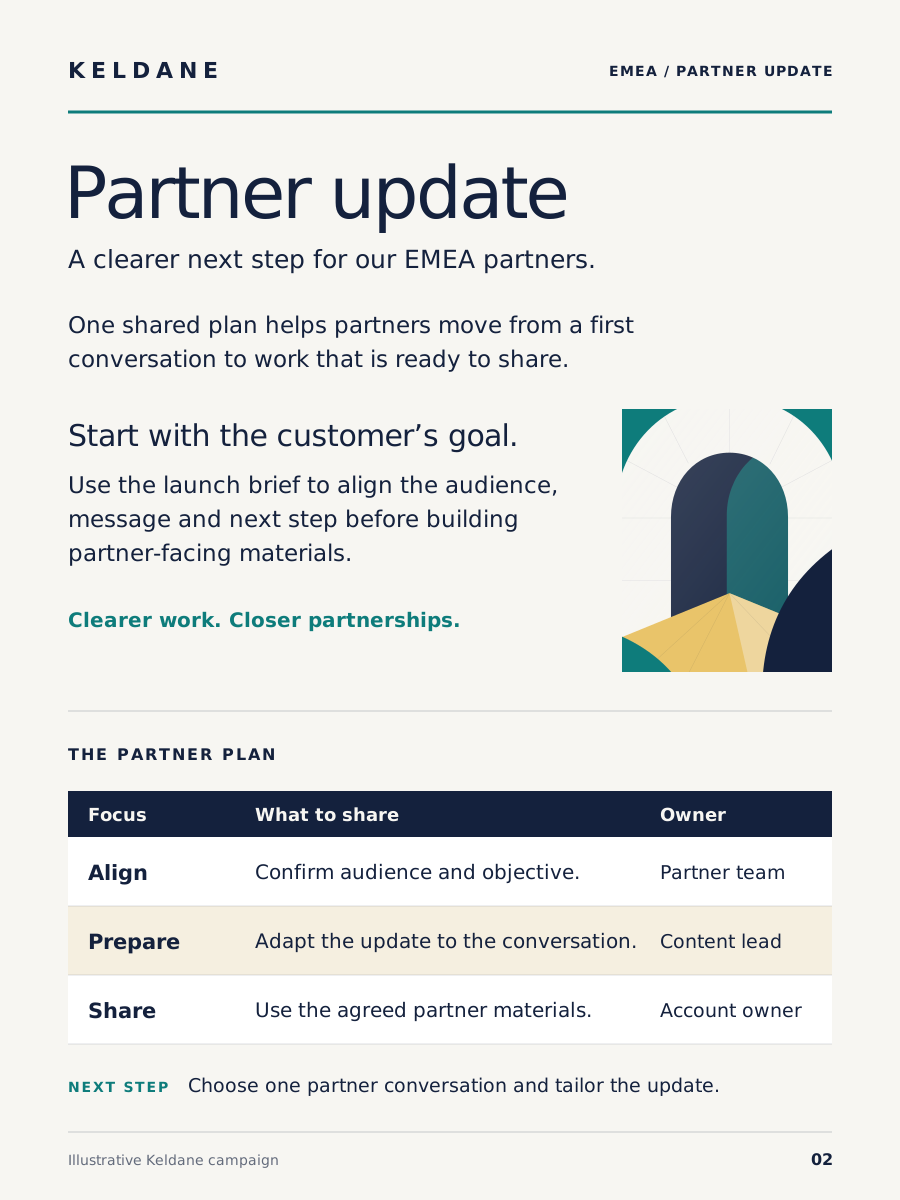
A complete Keldane partnership brief with summary, editorial illustration and an action table
DOCX / PDF

More than words
in a chat window.

Briefs, reports, letters and memos, with your brand carried through the document.

  • Brand typography and colors
  • A clear hierarchy for real content
  • A record of the brand version used
Start with your brand
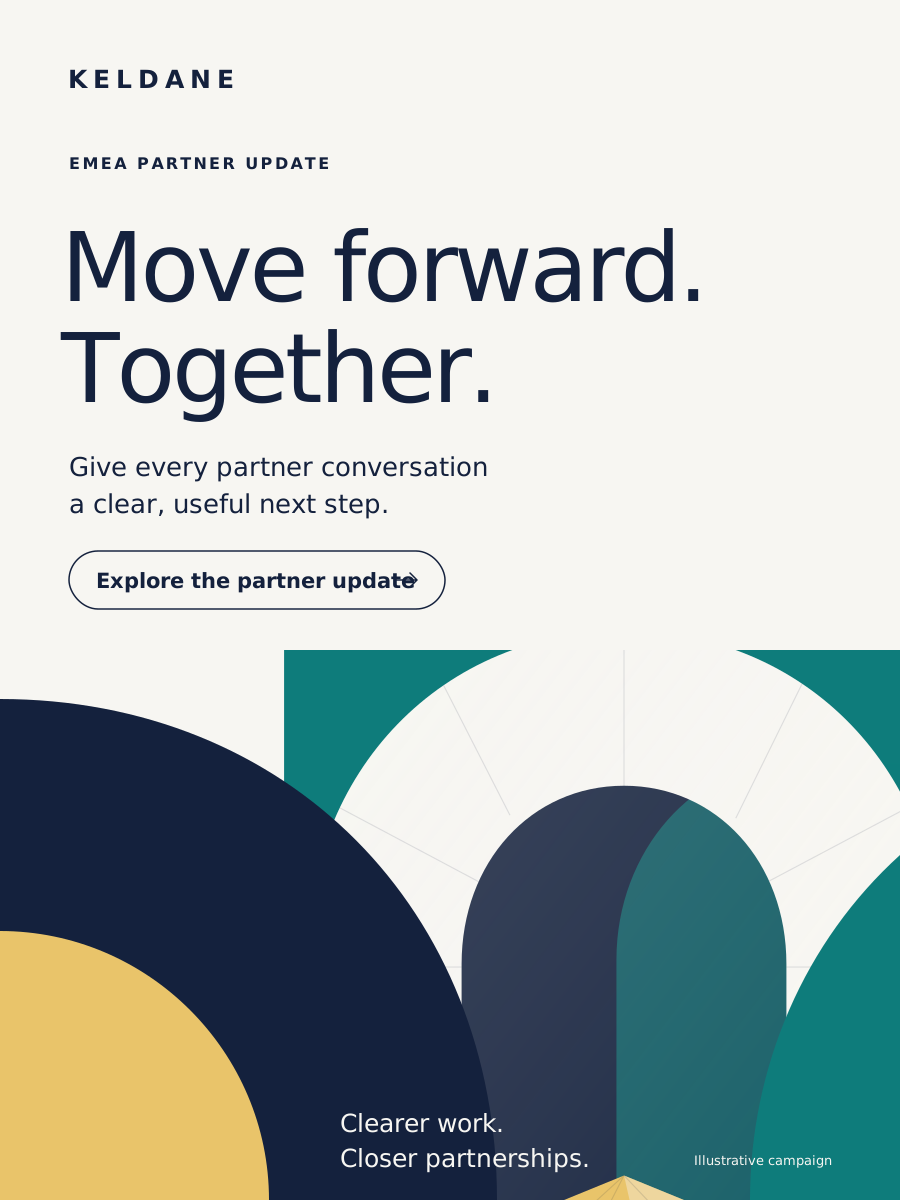
A Keldane partner one-pager with branded headline, architectural artwork and clear supporting content
PORTRAIT PDF · ONE-PAGERS / FACT SHEETS / INFOGRAPHICS

Make a useful idea
easy to share.

Turn a brief into branded collateral for a conversation, a campaign or a customer follow-up.

  • Portrait formats with room to breathe
  • Your approved visual identity
  • Downloadable files for your next step
Start with your brand
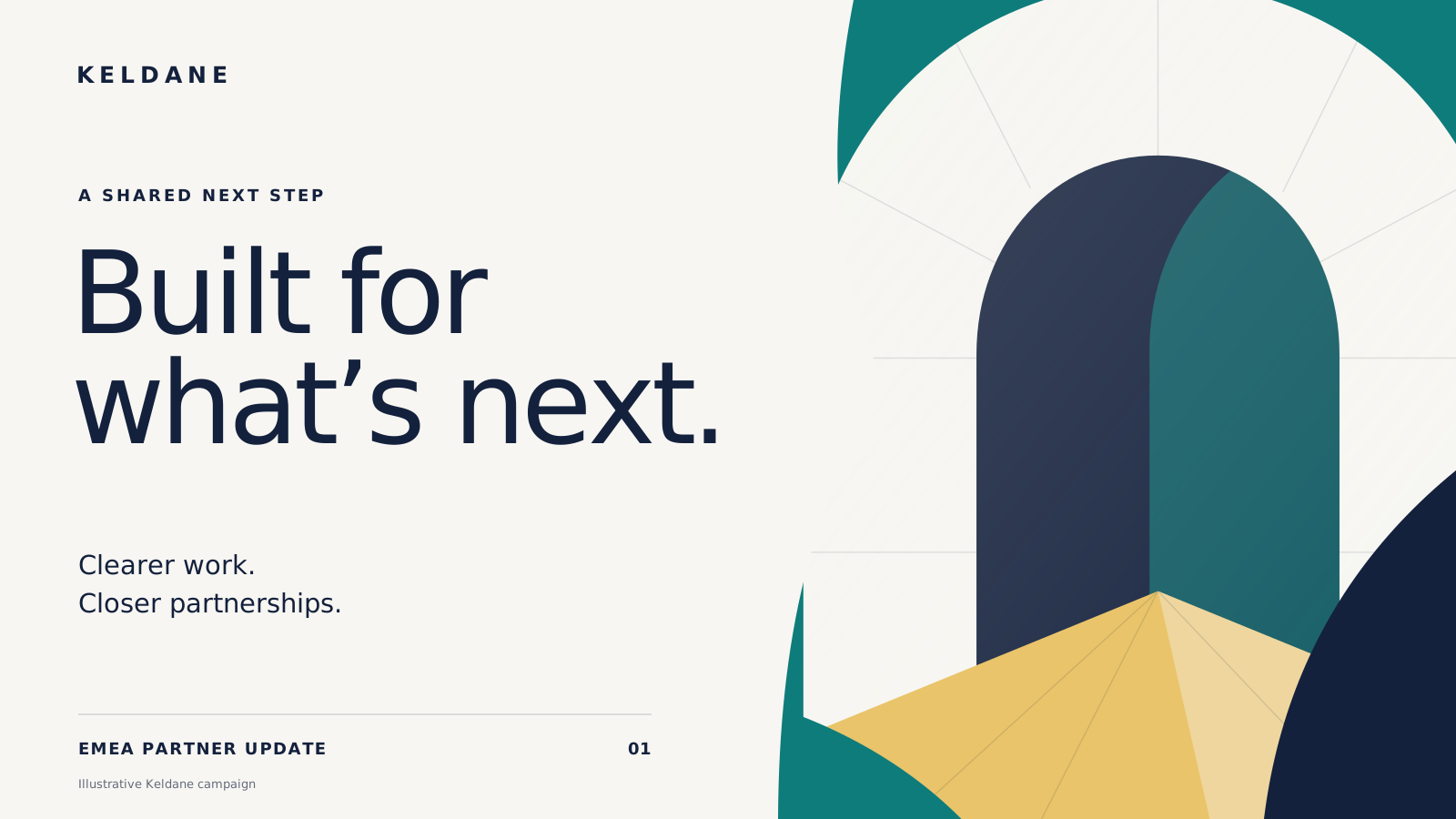
A landscape Keldane presentation cover with a coordinated architectural illustration
POWERPOINT

Your story.
Your own template.

Build presentations on the layouts your brand team has approved, ready for the next client or team conversation.

  • Your uploaded PowerPoint template
  • Brand fonts, colors and layouts
  • Editable presentation files
Start with your brand

Illustrations for Keldane, a fictional brand, not files Brandwarden built. Actual output depends on your approved rules, assets and format.

You stay in control

Make the guide useful.
Keep the decisions yours.

Bring the brand you already have. Review what Brandwarden reads, resolve the questions and publish the version your team should use.

Walk through the process
Your brand workspaceExample

Keldane

Review your sources

Draft
Primary teal
#0E7C7BBrand guide · p.14 §2.03
Two sources. One decision.

The guide and template use different chart color orders.

Guide · p.41Template theme

The owner chooses which source governs before publishing.

A draft becomes shared guidance when you publish it.
  1. 01

    Bring your brand

    Add the guide, assets and templates relevant to the work you want to create.

  2. 02

    Review and approve

    See where rules came from. Resolve conflicts and choose what your team should use.

  3. 03

    Put it to work

    Connect an assistant, make a request and review the resulting file.

Context you can see

Know which brand.
See what was checked.

Brand control should be understandable. Keep the approved brand version, the file and its review together.

Verify a certified file
01

The brand behind the work

A published version gives your connected assistants a shared source of brand rules.

02

A review with a clear scope

See the applicable checks, findings and issues that still need attention. Coverage depends on the file format.

03

Proof where it applies

For supported certified files, verification checks the signed record and whether the file changed. It does not verify every claim in the content.

Why this matters

Your next draft should
still feel like you.

Teams face pressure to create quickly while keeping their work distinctive. Recent surveys describe the gap.

42%

Distinctiveness is getting harder

Of surveyed AI document users, 42% said growing AI use makes distinctive brand content harder for their organization.

Templafy / Sapio Research · August 2026 · 2,000 respondents in the US and UK.

Surveyed: people at companies with 100 or more employees who use AI to create business documents at least monthly. Published October 1, 2026.

Methodology

Online survey commissioned by Templafy and run by Sapio Research. Respondents worked at organizations with at least 100 employees and already used AI to create business documents at least monthly. This is a reported perception, not a measured defect rate, and the study did not test Brandwarden. Fieldwork: August 2026. Published: October 1, 2026.

25%

Deadlines put brand standards under pressure

Of surveyed B2B marketing leaders, 25% reported frequently or always publishing AI content they knew was not fully on-brand under deadline pressure.

Optimizely / Savanta · May–June 2026 · 2,003 respondents across seven markets.

Surveyed: B2B marketing respondents in the US, UK, Germany, Sweden, the Netherlands, Australia and the UAE. The frequency is self-reported. Published June 30, 2026.

Methodology

Commissioned online research by Savanta for Optimizely among B2B marketing respondents in seven markets. Responses describe behavior respondents report under deadline pressure; the study did not inspect individual files or Brandwarden outputs. Fieldwork: May–June 2026. Published: June 30, 2026.

External research describes the problem. These figures are not measured Brandwarden results.

A few useful answers

Before you begin.

Is Brandwarden just for presentations?

No. Presentations are one output. Brandwarden also supports documents, PDFs and portrait collateral, including one-pagers, fact sheets and infographics. The shared foundation is your approved brand.

Do we have to leave ChatGPT or Claude?

Your team asks from ChatGPT or Claude once an admin adds the Brandwarden connector to the workspace and each person connects their own Brandwarden account. The brand owner uses Brandwarden to set up and publish the brand. Connection requirements depend on the host and workspace. The API also supports custom workflows.

What should I bring to get started?

Start with your brand guide and the assets relevant to the work you want to create. For presentations, add the PowerPoint template you want to use. Review the extracted rules and open questions before publishing your brand.

What does “brand lock” mean?

It means giving your connected assistants an approved brand version and its rules to use while they create content. It does not change every AI conversation or control files created outside a connected Brandwarden workflow. A published brand is not a passed check or a certificate. File reviews show their actual coverage; only an eligible Brandwarden-built file that passes its checks can carry a certificate.

Can I take the output to other channels?

You can download supported files and use them in your existing workflow. File creation and direct publishing to another platform are different capabilities; this page shows downloadable outputs.

What does a certificate prove?

For a supported certified file, verification checks the signed brand record and whether the file has changed. It does not prove factual accuracy, legal approval or that every possible brand rule was checked. Supported external PowerPoint files can receive a review report, not a Brandwarden creation certificate.

Brand control for connected AI

Put your brand
to work.

The guide you approved. The assistants your team connects.
The work you want to put your name on.

Start with the access shown in your workspace. Available plans and any setup or trial allowances are shown before you agree to them.